FreeOTP+ (2FA Authenticator)3.4
Publisher Description
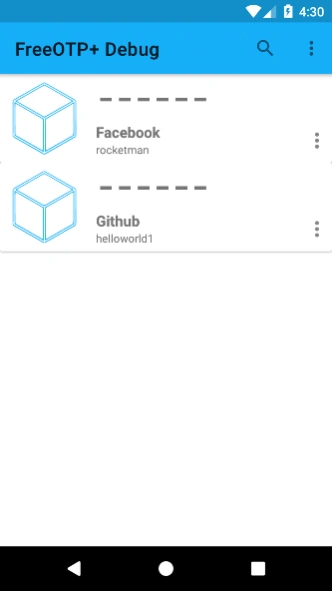


The free and open-sourced Authenticator replacement for 2FA in popular services.
FreeOTP+ is an free and open-sourced 2FA autenticator forked from the original FreeOTP with additional feature to help backup, restore and interoperate with other OTP authentication clients.
Additional feature:
1. Back up the data to Google Drive or other storage
2. Restore data from Google Drive or other storage
3. Material design and updated UI.
4. Android 6.0 on-demand permission support
5. Android 6.0 backup support. After reinstalling, all your saved authentications will come back.
6. Dark theme support
7. Search token
Source code: https://github.com/helloworld1/FreeOTPPlus
Original FreeOTP: here: https://play.google.com/store/apps/details?id=org.fedorahosted.freeotp&hl=en
About FreeOTP+ (2FA Authenticator)
The company that develops FreeOTP+ (2FA Authenticator) is Haowen Ning. The latest version released by its developer is 3.4.
To install FreeOTP+ (2FA Authenticator) on your Android device, just click the green Continue To App button above to start the installation process. The app is listed on our website since 2026-05-31 and was downloaded 13 times. We have already checked if the download link is safe, however for your own protection we recommend that you scan the downloaded app with your antivirus. Your antivirus may detect the FreeOTP+ (2FA Authenticator) as malware as malware if the download link to org.liberty.android.freeotpplus is broken.
How to install FreeOTP+ (2FA Authenticator) on your Android device:
- Click on the Continue To App button on our website. This will redirect you to Google Play.
- Once the FreeOTP+ (2FA Authenticator) is shown in the Google Play listing of your Android device, you can start its download and installation. Tap on the Install button located below the search bar and to the right of the app icon.
- A pop-up window with the permissions required by FreeOTP+ (2FA Authenticator) will be shown. Click on Accept to continue the process.
- FreeOTP+ (2FA Authenticator) will be downloaded onto your device, displaying a progress. Once the download completes, the installation will start and you'll get a notification after the installation is finished.
Program Details
System requirements
Download information
Pricing
Version History
version 3.2
posted on 2026-05-31
RELEASE-3.2
* Add function to edit and filter categories
* Enhance security by requiring authentication at various points
* Updated to Material Design V3
* Upgrade AGP version
version 3.4
posted on 2026-05-31
RELEASE-3.3
* Make tokens layout adaptable
* Fix issues with font size not changing with system
* Upgrade multiple dependencies
RELEASE-3.4
* Fix edge-to-edge UI and fab issues
version 3.1
posted on 2026-03-24
Fix system wide dark mode settings.
Update to the latest Android target version.
version 2.9
posted on 2022-12-31
RELEASE-2.9
* Smooth token re-arrangement by long pressing token and move. (Thanks to PhilKes' contribution)
* Default export token file name now contains date (Thanks to PhilKes' contribution)
* Upgrade Camera dependencies
version 3.0
posted on 2022-12-31
RELEASE-3.0
* Sharing token to other apps
* Lock and exit is a button on the toolbar now
* Follow system light / dark theme
* Better constrast for some buttons for some devices
* Add ING issuer icon
version 2.3
posted on 2021-12-08
Display first letter as placeholder for token text
Add 2 minutes timeout to lock if authentication is turned on
Dark theme update
Translations update
version 2.2
posted on 2020-11-04
* Fix token image contrast issues in dark theme
* Add option to remove user token image
* Translations updates, German, French, Spanish, Portuguese Brazilian, Basque are mostly complete thanks to @6543's contribution.
* Key uri file type bug fixed.
version 2.1
posted on 2020-09-01
* Add optional biometric / PIN authentication to launch
* Add icons based on token's issuer. Currently about 250 sites are supported.
* UI update to add FAB to launch camera
* CameraX Update
version 1.9
posted on 2020-07-01
CameraX update to be compatible with more phones
Prevent taking screenshot of the main screen
version 1.8
posted on 2020-02-17
Night mode improvement
General UI improvement
Fixed token image transparency issue
Afrikaans translation
Thanks error401de's contribution for most of the features
